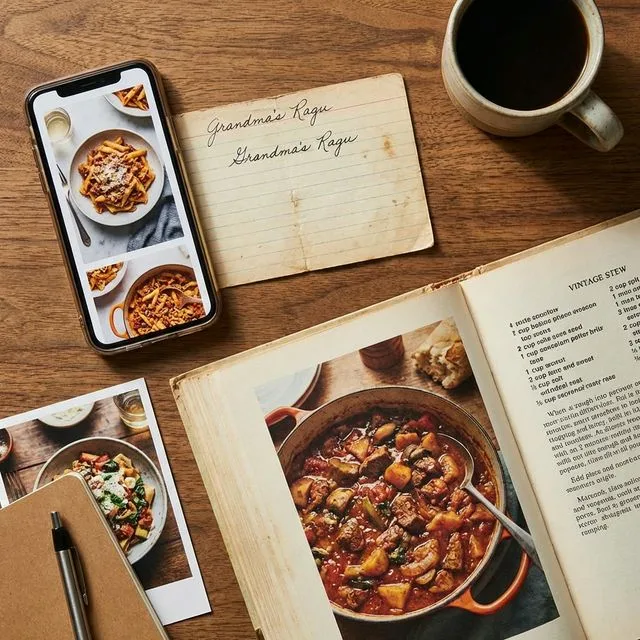
You find a great recipe on a blog. Or in a PDF cookbook. Or on your grandmother's handwritten recipe card. You want it in your digital collection, but retyping everything is tedious and error-prone.
RecipeBase's import tools solve this. Whether the recipe is on a website, in a document, or handwritten on paper, you can get it into your collection quickly and accurately.
Importing from Websites
This is the easiest import method.
The process: Copy the recipe URL, paste it into RecipeBase's import tool, and click import. The system extracts the recipe automatically - title, ingredients, instructions, cooking time, servings, and images.
What it captures: Modern recipe websites use structured data that makes extraction reliable. The import tool reads this data and creates a properly formatted recipe.
After import: Review the imported recipe. Most imports are accurate, but occasionally formatting needs adjustment. Check that ingredients are in the right quantities, instructions are in order, and nothing was missed.
Editing: Once imported, you can edit anything. Add notes, adjust quantities, change instructions, or reorganize steps. The imported recipe is yours to customize.
Importing from PDFs
PDF cookbooks and recipe collections work well too.
The process: Upload the PDF, select the pages containing the recipe, and let the OCR (Optical Character Recognition) extract the text.
Accuracy: OCR accuracy depends on PDF quality. Clean, text-based PDFs extract nearly perfectly. Scanned PDFs with clear text work well. Poor quality scans or fancy fonts may need more editing.
Multi-page recipes: If a recipe spans multiple pages, select all relevant pages. The system combines them into one recipe.
After extraction: OCR gives you raw text. You'll need to organize it into ingredients and instructions. RecipeBase's editor makes this straightforward - just drag text into the right sections.
Importing from Photos
This is where OCR really shines. Take a photo of a recipe from a cookbook, magazine, or handwritten card, and extract the text.
Photo tips:
- Good lighting is crucial. Natural daylight works best.
- Hold the camera steady or use a flat surface.
- Ensure the entire recipe is in frame.
- Avoid shadows, glare, and reflections.
- Higher resolution is better.
The process: Upload the photo, crop to the recipe area if needed, and run OCR. The system extracts text from the image.
Handwritten recipes: OCR can handle handwritten text, but accuracy varies. Clear, neat handwriting works reasonably well. Messy or cursive handwriting may require significant editing.
After extraction: Review carefully. OCR mistakes happen, especially with handwritten text. Check measurements (1 cup vs 1 cap), ingredient names (flour vs flower), and numbers (1 vs l).
Organizing Imported Recipes
Once imported, organize recipes into collections.
Collections: Group related recipes together. "Grandma's Recipes," "Weeknight Dinners," "Baking Projects," etc. Collections keep your library organized.
Tags: Add tags for easy searching. "Quick," "Vegetarian," "Nordic," "Dessert" - whatever categories make sense for you.
Notes: Add personal notes to imported recipes. "Tried 2024-01-15, excellent," or "Reduce salt by half," or "Kids loved this."
Common Import Issues
Missing ingredients: Sometimes the import misses an ingredient, especially if it's mentioned in the instructions but not the ingredient list. Review carefully and add manually if needed.
Incorrect quantities: OCR might read "1 cup" as "I cup" or "1/2" as "12." Always verify measurements.
Jumbled instructions: Occasionally steps import out of order. Reorder them in the editor.
Extra text: Imports sometimes include blog text, ads, or comments. Delete anything that isn't part of the recipe.
Images: Website imports usually capture the recipe image. Photo imports don't include the image (since the photo IS the image). You can add images manually after import.
Batch Importing
If you have many recipes to import, batch processing saves time.
From websites: Import multiple URLs at once. Paste a list of recipe URLs and process them all together.
From PDFs: If you have a PDF cookbook, you can extract all recipes in one session. Select pages for each recipe and process them sequentially.
From photos: Take photos of multiple recipe cards, then import them one after another.
Batch importing is faster than doing recipes individually, but review each one to ensure accuracy.
Preserving Family Recipes
Importing handwritten family recipes is about more than convenience - it's preservation.
Old recipe cards fade, get stained, or get lost. Digitizing them creates a backup. You can share digital copies with family members. Future generations can access recipes that might otherwise disappear.
Take clear photos of handwritten recipes. Import them into RecipeBase. Add notes about who wrote the recipe, when, and any family stories associated with it. This context makes the recipe more valuable.
Import Best Practices
Review everything: Never trust imports blindly. Always review for accuracy.
Test the recipe: If you're importing something you haven't made before, the first time you cook it, verify the recipe makes sense. If something seems wrong, it might be an import error.
Keep originals: Don't throw away handwritten recipe cards after importing. Keep the originals as backups and for sentimental value.
Add context: When importing, add notes about the source. "From Mom's cookbook, page 47" or "Found on [website] January 2024." This helps later if you need to reference the original.
Organize immediately: Don't let imported recipes pile up unorganized. Add them to collections and tag them right away.
The Real Value
Recipe import tools aren't just about saving typing time. They're about making your entire recipe world accessible in one place.
That blog recipe you bookmarked three years ago? Import it. Your grandmother's handwritten cookie recipe? Import it. That PDF cookbook you bought? Import it.
Once everything's in RecipeBase, you can search across all recipes, scale any of them, use Cook Mode with any of them, and organize them however makes sense to you.
The goal is having all your recipes in one place, properly formatted, easily searchable, and ready to cook. Import tools make that possible without endless manual data entry.
Start with one recipe. Import it, review it, cook from it. See how much easier it is than juggling bookmarks, PDFs, and paper cards. Then import more. Build your digital recipe collection one import at a time.
Keywords: recipe import, OCR recipes, import recipes from websites, digitize recipes, handwritten recipe OCR, recipe organization, digital recipe collection
Meta Description: Learn to import recipes from websites, PDFs, photos, and handwritten cards using RecipeBase's import tools and OCR. Stop retyping and build your digital collection easily.